💰 Pay with Cryptomus
Buy points instantly using Cryptomus — fast, secure, and automated
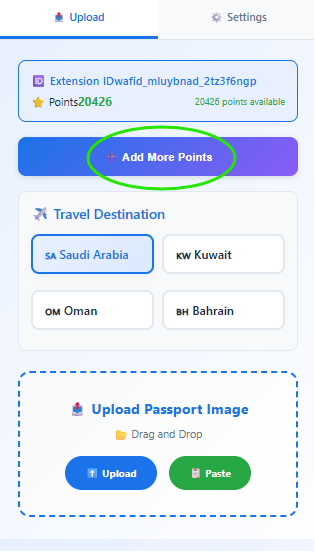
Open the WafidFill Popup or Sidebar and click the "Add More Points" button to start the payment process.
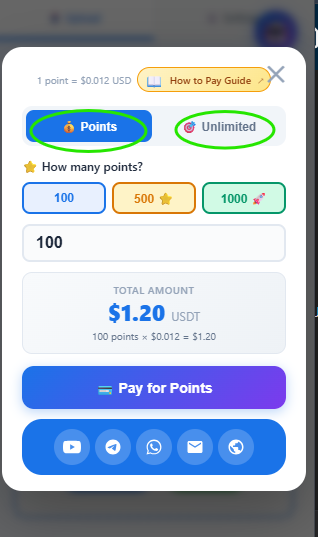
Choose Pay As You Go (100, 500, 1000, 5000 points) or select an Unlimited Plan (Daily, Weekly, Monthly) based on your needs.
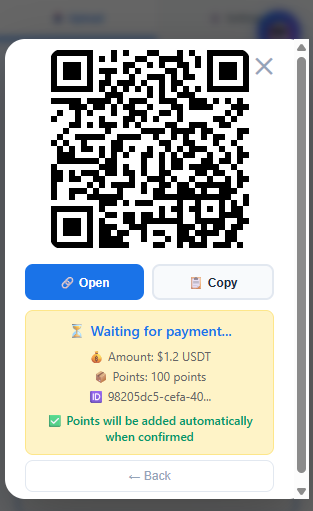
Click "create payment" to generate an invoice. You can Open the link, Copy it, or Scan the QR code.
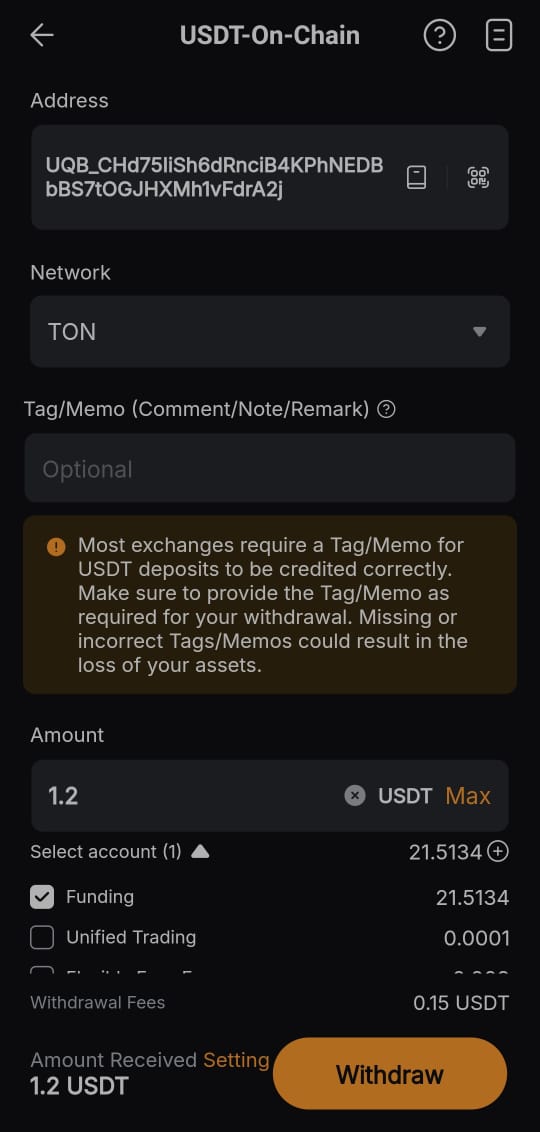
When you open or scan the invoice, you'll see the TON network address. Copy this address and send USDT (TON) from Binance, Bybit, or any crypto platform.
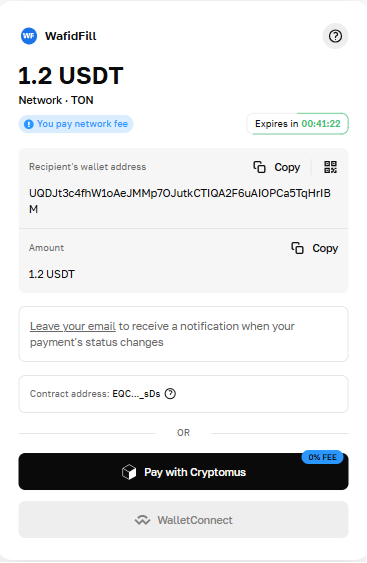
When you open or scan the invoice, you'll see the TON network address. Follow these steps to complete your payment:
- Copy the TON address from the invoice
- Open Binance, Bybit, or your preferred crypto exchange
- Select Withdraw / Send → Choose TON (The Open Network)
- Paste the copied address in the recipient field
- Memo/Tag: Leave it empty (not required for TON)
- Enter the exact amount shown on the invoice
- Click Send / Confirm and wait for confirmation
⚠️ IMPORTANT: This address is one-time use only. Do not reuse it. Each payment generates a unique address. Send the exact amount shown.
✅ Points Auto-Added: After payment confirmation, your points will be automatically added within 5 minutes. No manual verification needed!